
get started
Membership Management
Advertising network
The Advertising Dashboard
Last Update :
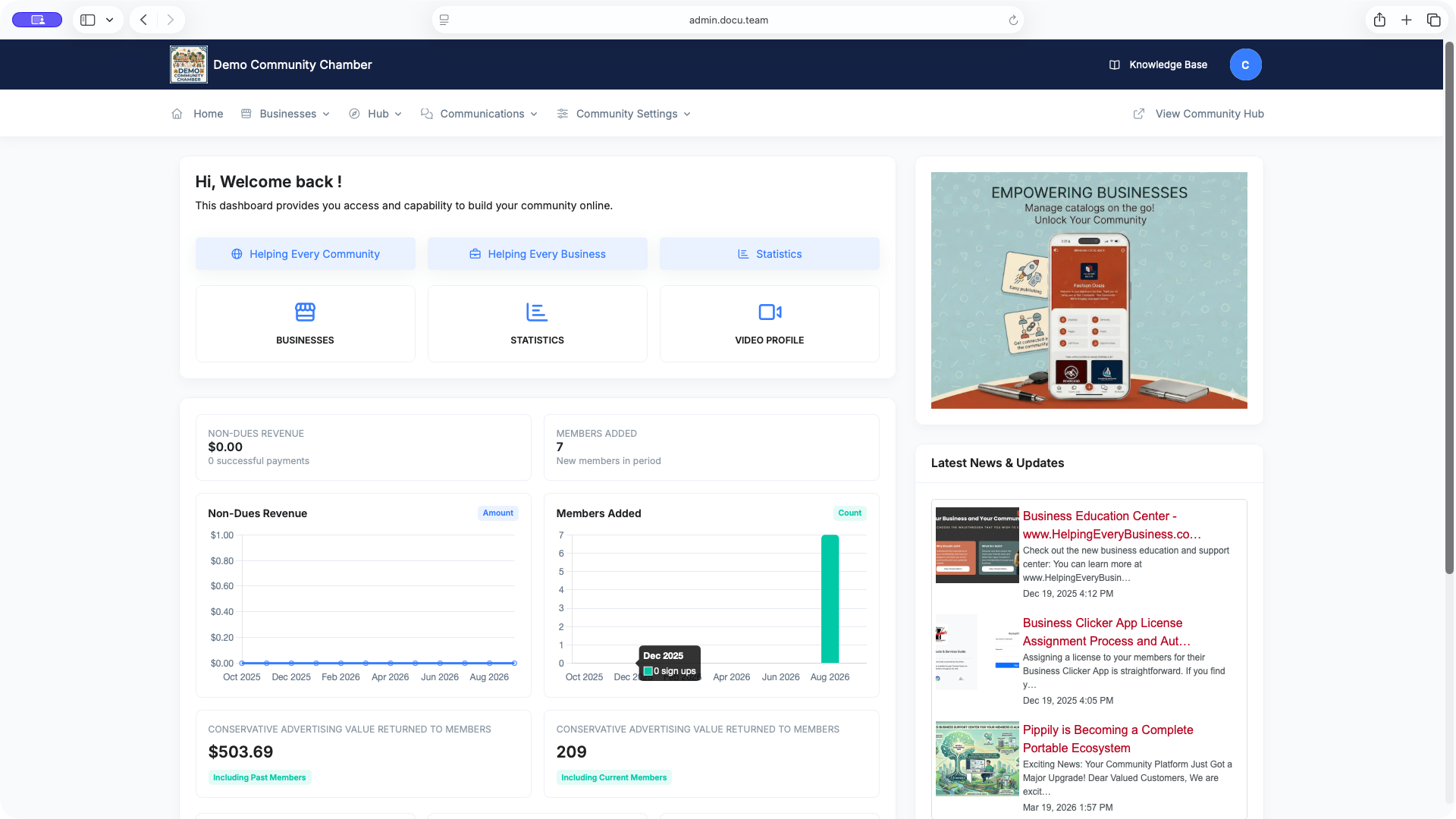
The Pippily dashboard is built for chambers to manage their Resource Center, which aggregates data and information from both the Membership Management System and Pippily. (See more about the Resource Center.)
Your Pippily Dashboard has two main sections: the Admin Dashboard and the Member Dashboard. Since you're a chamber admin, you'll have access to both.
To access your Pippily Dashboard, go to https://admin.docu.team.
A username and password will be sent to you during onboarding. If you need to give more people access to manage the Pippily Dashboard (applicable for multi-staff chambers), just send in a support ticket and we'll add them.
Note that your Membership Management System login credentials and your Pippily login credentials are not the same. (We're currently working on single sign-on functionality.)
Once you're logged in, you'll see five key items in the navigation:
- Home
- Businesses
- Hub
- Communications
- Community Settings
Continue to the other articles to explore more about the dashboard.