
get started
Membership Management
Advertising network
Mass Entry of Data
Last Update :
Importing Member or Prospect Data
If you have a large amount of member data to enter, we can import it for you. Simply provide your data in a CSV or Excel file. In most cases, the data conversion takes about 1–2 billable hours.
Uploading Simple Prospect Data Yourself
If you only have a list of email addresses - or email addresses with names (one per line) - you may be able to use the Mass-Entry tool to upload them directly into your database.
To use the Mass-Entry tool:
- Go to Member Database Admin.
- Select View Prospects.
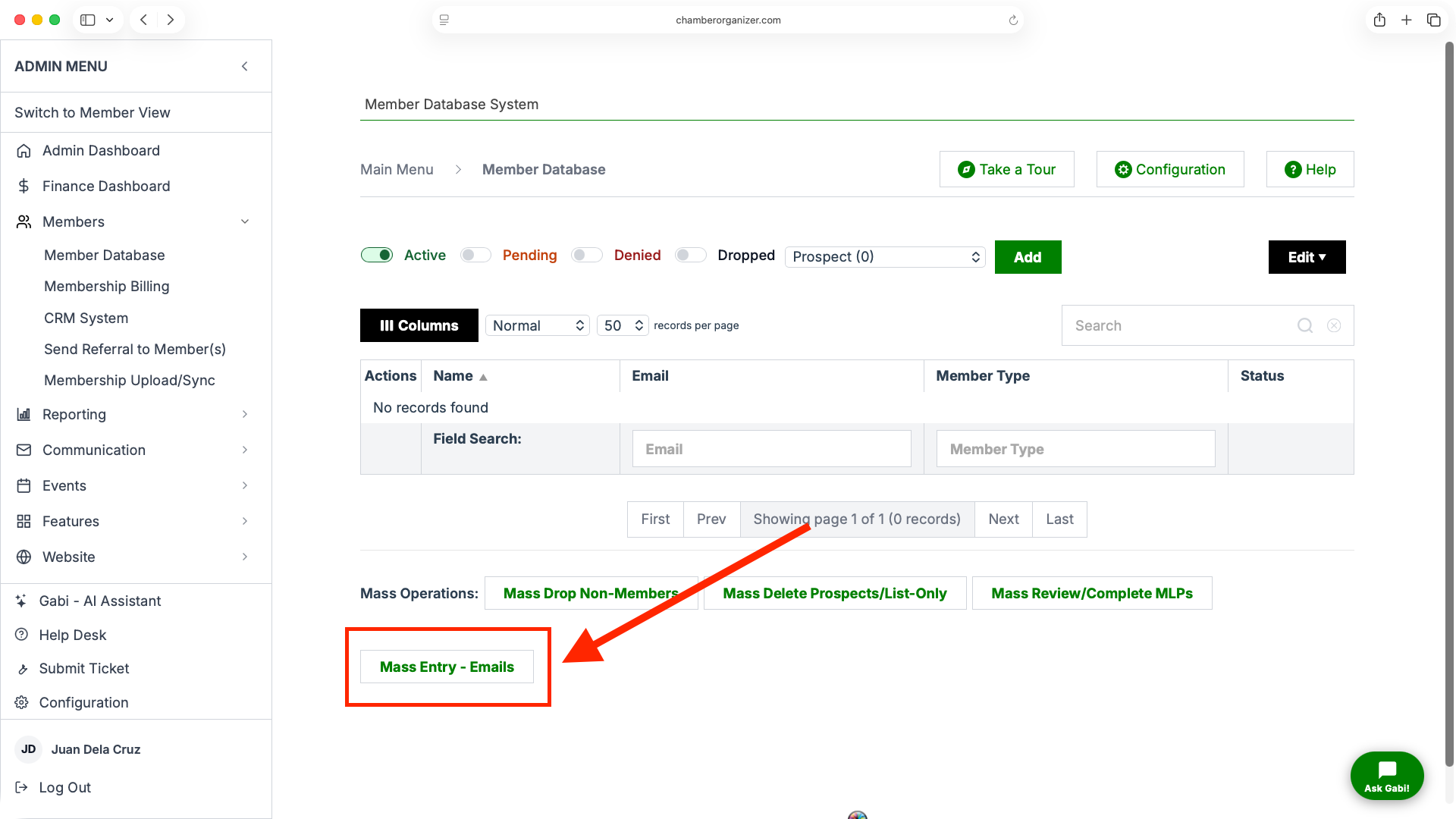
- Scroll to the bottom of the page and click Mass-Entry.
- Paste your email data into the box at the top of the screen.
- Select the lists, projects, and committees where you want these records included.
- Click Continue.
- Review the records shown - you can check or uncheck any entries before importing.
- Click Continue again to complete the upload.
How it works:
- If an email address already exists in the database (as a prospect, member, or other record), it will be updated with the new list, project, or committee selections.
- If an email address does not exist, it will be added as a new prospect record with the lists, projects, and committees you selected.
Uploading Complex Data Yourself
For organizations that regularly need to upload or update large amounts of data, we offer a Sync feature. This tool allows you to manage more complex data imports efficiently without requiring manual entry each time.
If your organization would benefit from this option, please contact our support team to have the Sync feature enabled and configured for your account.