
get started
Membership Management
Advertising network
Multi-Member Accounts/Cross Reference Feature
Last Update :
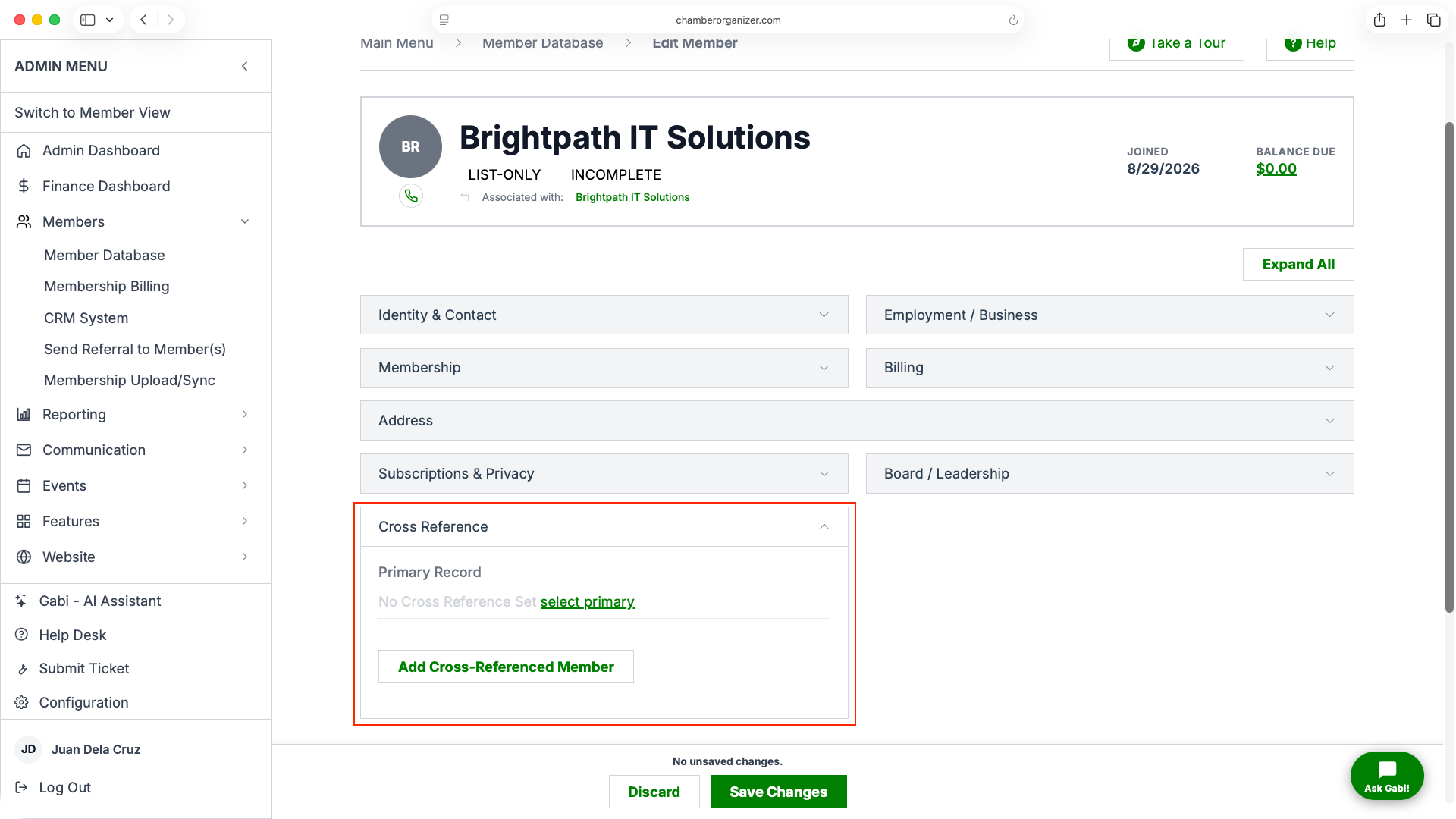
The MMS is capable of handling members grouped into accounts for billing and administrative purposes.
Member Cross-Referencing
This is the preferred method because it is the easiest to use. With cross-referencing enabled, additional non-paying members can be entered with a $0 member plan, and linked to the primary contact (the member with a non-$0 member plan).
To cross-reference a non-paying record to a paying record, edit the non-paying member's information and then select the primary contact in the cross-reference field(under the Email/Plan tab in the Tabbed layout).
To illustrate cross-referencing in a different way, think of it as a parent-child relationship where the child record (non-paying record) is cross-referenced to the parent (primary bill-paying record).
Getting the Cross-Referencing Right
If you accidentally get the cross-referencing wrong, it can be difficult to visualize things. To make it easier to analyze, use the info page in member database admin - it will show what record a given member is cross-referenced to (parent), as well as records that may be cross-referenced to it (children); as well as allow you to navigate to view those records.
Note:
Member cross-referencing does not support multi-level cross referencing.