
get started
Membership Management
Advertising network
Quick Reports
Last Update :
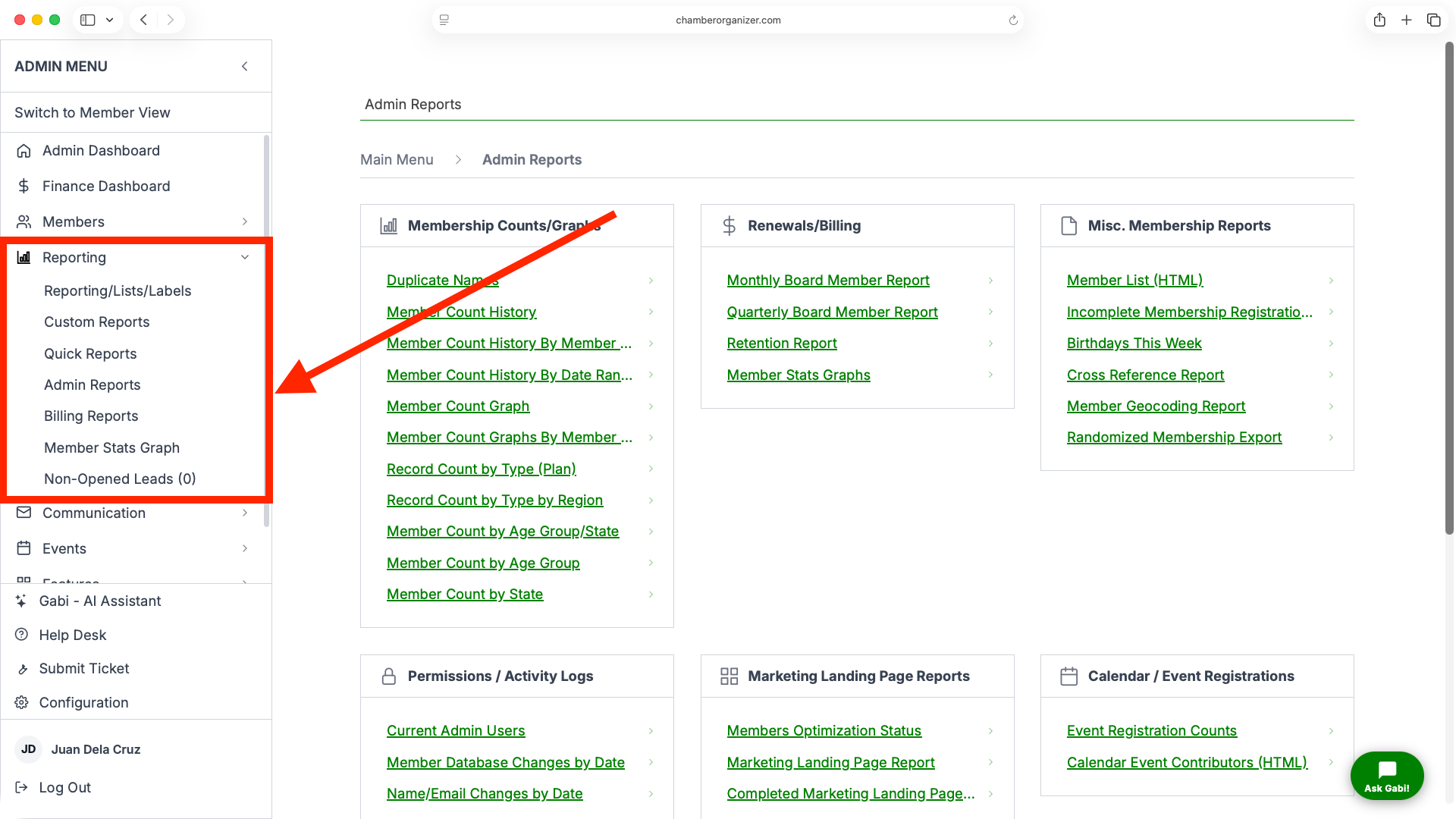
Quick Reports are frequently used reports. Most are of interest to both the general members and the admin-level users. However, in some cases, a few reports are available only to admins. Quick Reports are available from the main menu, under Reporting (for Admins) and Resources (for Members). Quick Reports may be hidden from Members.
REPORTS AVAILABLE TO ALL MEMBERS
- Member List (HTML)
This is a semi-detailed list, formatted as an HTML-based page (just like any other web page). It includes name, address, phone, and email. - Member List (phone/email)
This is a less-detailed list, including only name, phone, email. The use for this list is as a simple calling list, allowing an admin to print the report and use it as a checklist while making calls to the member. - Membership Directory Handouts
The Membership Directory Handout (PDF, HTML, and Handout V2 HTML) are great for organizations that focus on a member directory. Link to one of these reports so that your members are always up-to-date with the latest membership network. - Birthday List
Used largely by organizations with individuals, this list includes the member name, and birth month and day. Typically, this is used by a newsletter editor to copy-and-paste the current month's birthdays into a newsletter. - 5-Year Calendar History
Are your members constantly asking about previous events? Point them towards this list for details about all of your events in the last five years.
ADMIN ONLY REPORTS
- Current Admin Users
This report will let you see which of your members are currently designated as administrators. This report comes in handy for volunteer based organizations or when there is a leadership change. - Event Contributors(HTML)
If your organization allows for user-submitted events, this report will show you a list of who has submitted an event in the last two years. - Prospect List
This provides a detailed list of prospects- contacts who you've designated as a member type of Prospect. - Incomplete Membership Registrations Report(.CSV)
At each page of the sign-up process, any data a potential member has entered will be saved in our system. To see what data was saved by people who did not reach the end of the online membership registration, take a look at the Incomplete Membership Registrations Report - Retention Report
Keeping up on who is coming and going is a large part of what you do. The Member Retention Report will show you at a glance who is new, and who left your organization. - Member Count History
This report lists each month your organization has been with us, followed by the Total Members for that month, New Members for that month, and the number of people who have dropped their membership in that month. - Member Count History By Member Plan
This report is the same as the Member Count History, but gives the details per membership plan your organization uses. - Member Count History By Date Range
Would you like to see the Member Count History for a specific time period? Head to this report and enter your desired start and end dates. Press search for the results! - Member Count Graph
Take a look at the Member Count Graph for a quick visualization of member drops and adds in the last year. - Member Count Graph By Member Plan
This report shows member drops and adds for individual member plans in graph form. Use this to see which plans are popular and which are less popular with your members - Record Count By Type
Some membership plans are created by you, and some are added for you by default. View this report to see a breakdown of the total number of people in each plan along with the dues for the plans. - Record Count By Region
If your organization has defined regions, take a look at the totals of members by their membership type, grouped by region. - Member Database Changes by Date
Have odd items been showing up in your member database? Click this report to see which items have been changed, and who changed them. - Cross Reference Report
If your organization cross-references members, this report will show you each of the membership connection. - Member Geocoding Report
Geocoding is used frequently in maps. We use it to allow for member specific driving directions. Take a look at this report to see the accuracy of your geocoding. Members with addresses inside of multi-unit businesses or dwellings will have a lower geocoding accuracy, but an accuracy number of five or more is good.