
When you order a mobile app it will be populated with a set of default features and content. This set of content is just a sample of what is available for your use. Generally it is advisable to allow MMS Staff to handle app content until after the app has been published by Apple as Apple is notorious for being picky and restrictive about approving apps.
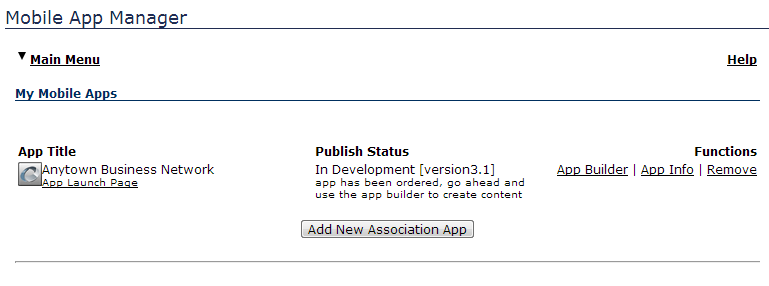
After your app has been published and is in "Active" status, you can edit your content by going to the Mobile App Manager main page and clicking on "App Builder".
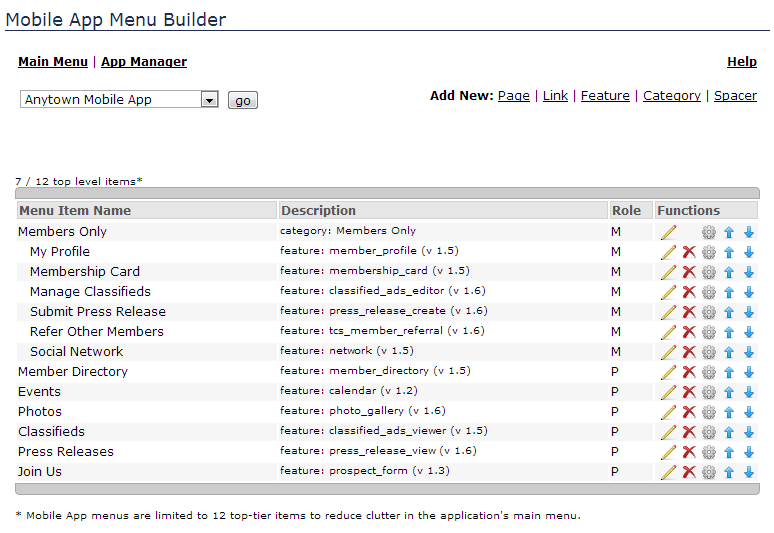
This page lists all the content in your mobile app as well as links to add/change/remove content.
After your app has been published and is in "Active" status, you can edit your content by going to the Mobile App Manager main page and clicking on "App Builder".
This page lists all the content in your mobile app as well as links to add/change/remove content.